> ## Documentation Index
> Fetch the complete documentation index at: https://docs.radicalwhale.com/llms.txt
> Use this file to discover all available pages before exploring further.
# Tools
> Extend agent capabilities with external integrations
## What are Tools?
Tools enable agents to access external APIs, services, and data sources, going beyond conversation to retrieve real-time information, perform actions, and integrate with existing systems.
 ## Tool Types
Configure HTTP requests to external APIs and web services
Connect to Model Context Protocol servers for dynamic tool discovery
## API Request Tools
Configure HTTP requests to any external API:
**Configuration**: HTTP method (GET, POST, PUT, DELETE, etc.), request URL with variable substitution, headers (including auth), query parameters, request body (JSON), input schema (JSON Schema format).
**Input schema example**:
```json theme={null}
{
"type": "object",
"properties": {
"search_query": {
"type": "string",
"description": "The search term"
},
"max_results": {
"type": "integer",
"default": 10
}
},
"required": ["search_query"]
}
```
**Variable substitution**: Use schema variables in URLs (`https://api.example.com/search?q={{search_query}}`), headers (`Authorization: Bearer {{api_token}}`), and request bodies.
## Tool Testing
Built-in testing capabilities: Schema validation with sample data, API testing to verify connectivity, response preview before deployment, error debugging.
## Managing Tools
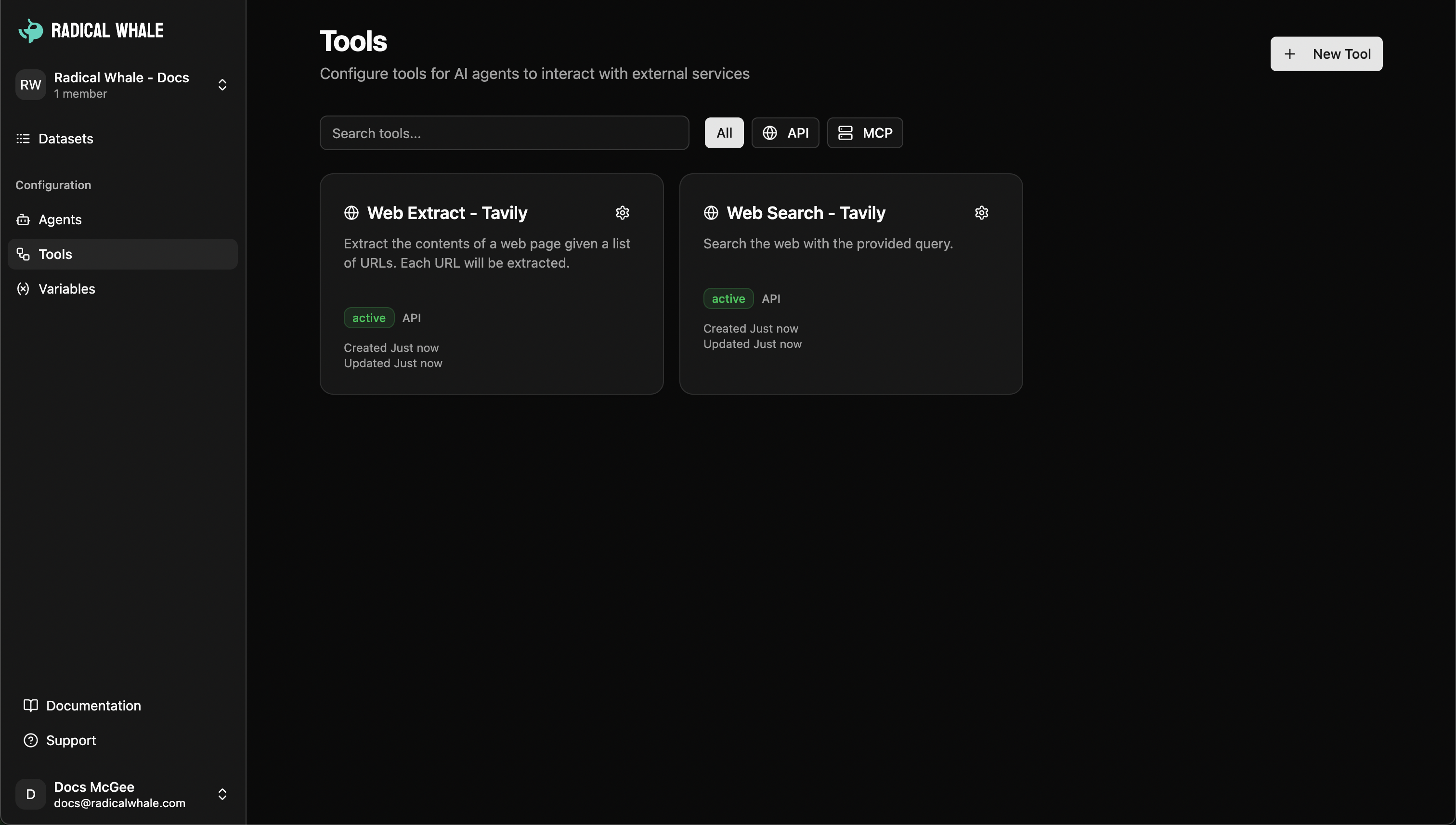
Tools dashboard for creating new tools, editing configurations, testing functionality, and organizing your tool library with search and filtering.
## Agent Integration
Assign tools to agents → Agents discover capabilities automatically → Agents choose when and how to use tools → Tool results seamlessly incorporated into responses.
## MCP Server Tools
Model Context Protocol support for dynamic tool discovery, server connections, standardized protocols, popular integrations (Tavily Search, GitHub, Slack, Google Drive).
Learn more about [MCP Server Tools](/guides/tools/mcp-tools).
## Tool Types
Configure HTTP requests to external APIs and web services
Connect to Model Context Protocol servers for dynamic tool discovery
## API Request Tools
Configure HTTP requests to any external API:
**Configuration**: HTTP method (GET, POST, PUT, DELETE, etc.), request URL with variable substitution, headers (including auth), query parameters, request body (JSON), input schema (JSON Schema format).
**Input schema example**:
```json theme={null}
{
"type": "object",
"properties": {
"search_query": {
"type": "string",
"description": "The search term"
},
"max_results": {
"type": "integer",
"default": 10
}
},
"required": ["search_query"]
}
```
**Variable substitution**: Use schema variables in URLs (`https://api.example.com/search?q={{search_query}}`), headers (`Authorization: Bearer {{api_token}}`), and request bodies.
## Tool Testing
Built-in testing capabilities: Schema validation with sample data, API testing to verify connectivity, response preview before deployment, error debugging.
## Managing Tools
Tools dashboard for creating new tools, editing configurations, testing functionality, and organizing your tool library with search and filtering.
## Agent Integration
Assign tools to agents → Agents discover capabilities automatically → Agents choose when and how to use tools → Tool results seamlessly incorporated into responses.
## MCP Server Tools
Model Context Protocol support for dynamic tool discovery, server connections, standardized protocols, popular integrations (Tavily Search, GitHub, Slack, Google Drive).
Learn more about [MCP Server Tools](/guides/tools/mcp-tools).