

What are Workspaces?
Workspaces are isolated environments containing all your team’s resources: datasets, agents, tools, variables, and processing machines. Each workspace is a complete data collaboration environment with security and organization.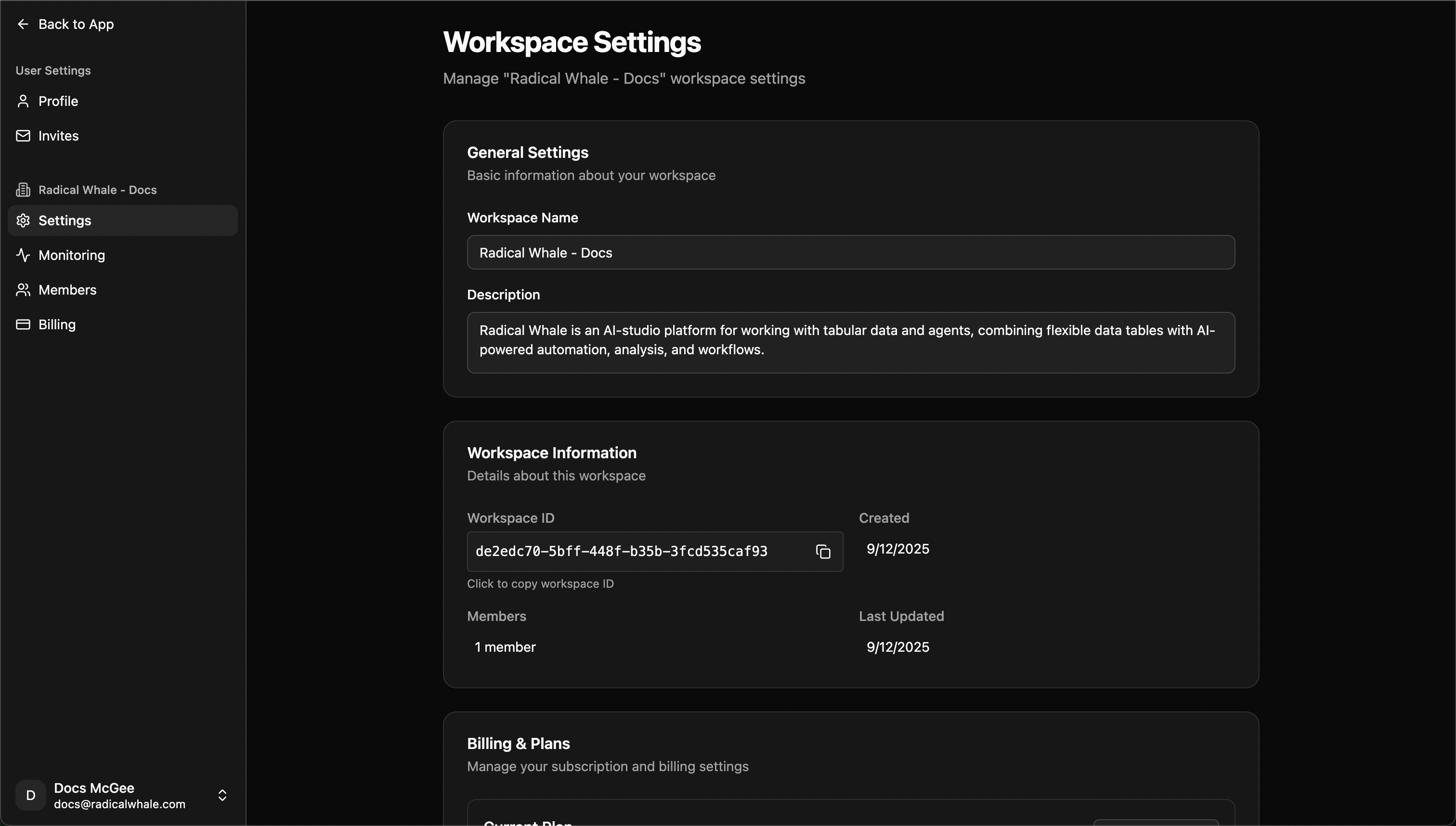
Components
Datasets & Records: Smart tables from CSV/Excel, record management with expandable views, AI-powered cell processing, page editor for documentation. AI Agents: Conversational AI with workspace context, custom configurations, data-aware responses, multi-model support (OpenAI, Anthropic). Tools & Automations: API tools for external integrations, workflow builder, custom functions for team needs. Variables: Encrypted storage for API keys and credentials, team sharing based on permissions, environment management for dev/prod.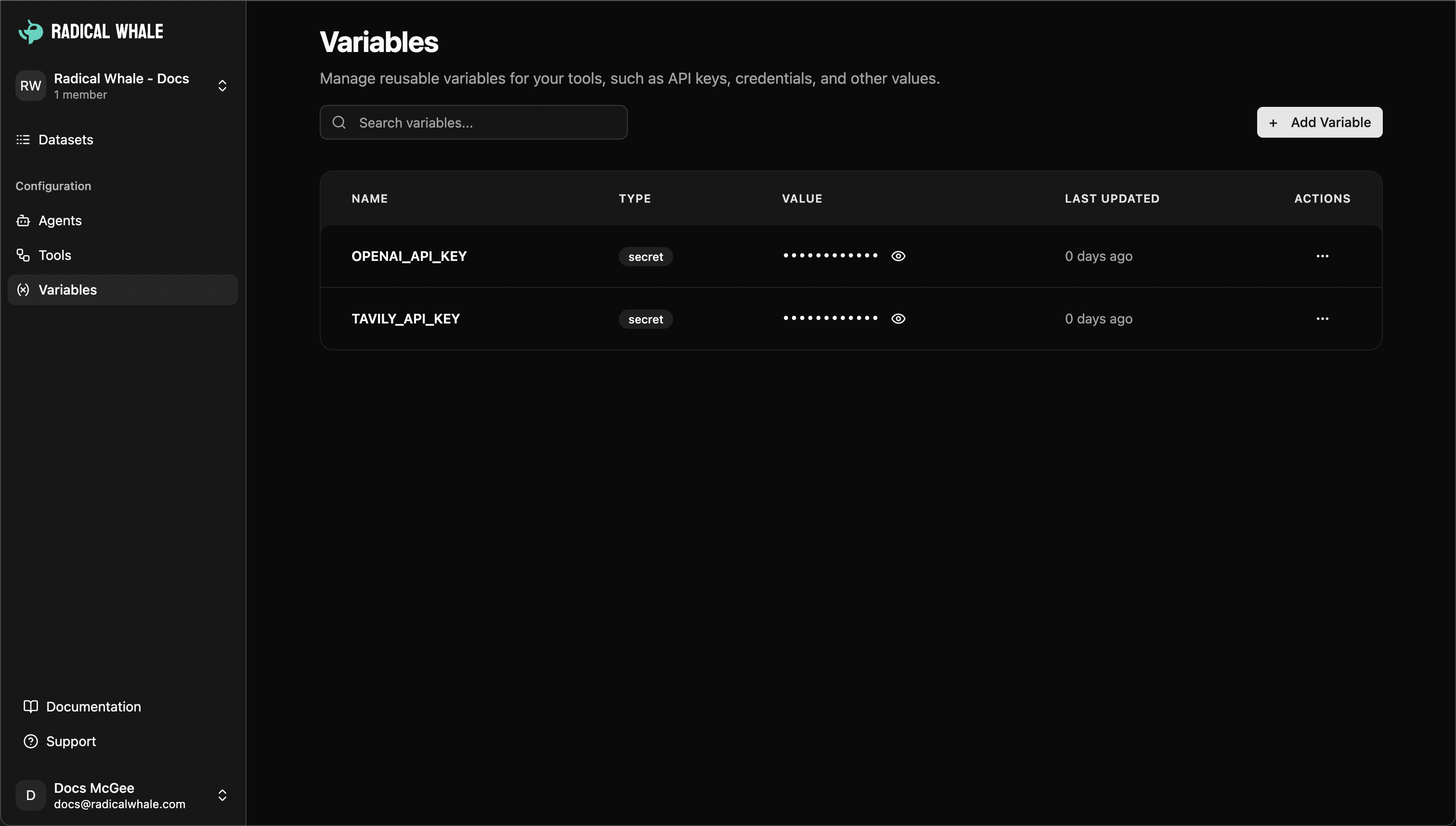
Team Collaboration
Roles:- Owner: Complete control, member management, billing, workspace settings, full access
- Admin: Resource management (datasets, agents, tools), member management (except owners), variable management, limited settings
- Member: Access existing resources, create new resources with standard permissions, view variables (read-only)
Management
Creating workspaces: Basic setup (name, description), plan selection (Free, Starter, Pro), team invitations, final configuration. Settings: General information, member management, billing and subscription, usage tracking. Monitoring: Queue metrics with live monitoring, machine management for paid plans (CPU/memory utilization, resource scaling, regional deployment).Plans & Pricing
Free: 3 members, 1,000 records/month, 5 datasets, standard support, shared resources. Starter: 10 members, 10,000 records/month, 25 datasets, email support, dedicated machines available, advanced agents. Pro: Unlimited members, 100,000 records/month, unlimited datasets, priority support, dedicated machines included, advanced monitoring, premium integrations.Best Practices
Organization: Project-based structure, clear naming, resource cleanup, documentation. Security: Least privilege access, regular access reviews, variable security for credentials, data classification. Performance: Machine scaling during high usage (paid plans), queue monitoring, data lifecycle policies, API rate limiting management.Common Use Cases
Product teams: Feature development workspaces, environment separation (dev/staging/prod), user research, A/B testing. Data teams: Client projects with dedicated workspaces, research initiatives, data pipeline development, report automation. Business ops: Department isolation (HR, finance, marketing), vendor management, compliance tracking, process documentation. Consulting: Client separation with data isolation, project lifecycle management, team collaboration, deliverable preparation.Next Steps
Creating Workspaces
Set up a new workspace
Understanding Datasets
Learn about organizing data
Understanding Agents
Learn about AI agents
Understanding Tools
Learn about tool integrations
Workspace Components
Datasets & Records
- Smart Tables: Upload CSV, Excel, or structured data to create intelligent datasets
- Record Management: Each row becomes a detailed record with expandable views and nested data
- Cell Processing: AI-powered analysis and enrichment of individual table cells
- Page Editor: Create rich documentation and notes for individual records using our advanced text editor
AI Agents
- Conversational AI: Chat with specialized agents that understand your workspace data
- Custom Configurations: Set up agents with specific personalities, tools, and knowledge
- Data-Aware Responses: Agents can access and reference your workspace datasets
- Multi-Model Support: Choose from different AI providers and models
Tools & Automations
- API Tools: Create reusable HTTP requests for data enrichment and external integrations
- Workflow Builder: Design complex data processing pipelines
- Custom Functions: Build specialized tools for your team’s unique needs
Variables & Configuration
- Secure Storage: Encrypted storage for API keys, database credentials, and configuration
- Team Sharing: Variables are accessible to all workspace members based on permissions
- Environment Management: Organize different configurations for development and production
Processing Infrastructure
- Dedicated Machines: Spin up processing machines for heavy data work (paid plans)
- Queue Management: Monitor and manage background processing jobs
- Resource Scaling: Add or remove computing resources based on workload
Team Collaboration & Access Control
Workspace Roles
Owner- Complete workspace control and administration
- Member management: invite, remove, and change roles
- Billing and subscription management
- Workspace settings and deletion capabilities
- Full access to all resources and features
- Resource management: create, edit, and delete datasets, agents, and tools
- Member management: invite and remove members (except owners)
- Variable management: create and manage secure variables
- Limited workspace settings access
- Access and use existing workspace resources
- Create new resources with standard permissions
- View and use variables (read-only access)
- Collaborate on datasets and workflows
Workspace Switching
Easily switch between multiple workspaces using the workspace switcher in the sidebar. Each workspace maintains its own:- Complete resource isolation
- Independent billing and settings
- Separate team members and permissions
- Dedicated processing queues and machines
Invitation System
- Email Invitations: Send secure invitations to team members
- Role Assignment: Set specific roles when inviting new members
- Expiration Management: Invitations expire automatically for security
- Pending Invite Tracking: Monitor outstanding invitations in the members page
Workspace Management
Creating Workspaces
The workspace creation process guides you through:- Basic Setup: Name and description for your workspace
- Plan Selection: Choose from Free, Starter, or Pro plans based on your needs
- Team Invitations: Optionally invite team members during setup
- Final Configuration: Complete setup and start collaborating
Workspace Settings
Access comprehensive workspace management through the settings page: General Information- Workspace name and description editing
- Workspace ID for API integrations
- Creation and modification timestamps
- Member count and activity overview
- View all workspace members and their roles
- Send new invitations with role assignment
- Monitor pending invitations and expiration
- Remove members or change permissions
- Current plan overview and usage metrics
- Subscription management and plan upgrades
- Billing history and payment methods
- Usage tracking and limits monitoring
Monitoring & Performance
Track workspace activity and performance: Queue Metrics- Live monitoring of background processing jobs
- Queue depth and processing speed insights
- Bottleneck identification and resolution
- Deploy dedicated processing machines
- Monitor CPU and memory utilization
- Scale resources up or down based on demand
- Regional deployment options
Workspace Plans & Pricing
Free Plan
- 3 workspace members maximum
- 1,000 records per month
- 5 datasets limit
- Standard support
- Shared processing resources
Starter Plan
- 10 workspace members maximum
- 10,000 records per month
- 25 datasets limit
- Email support
- Dedicated processing machines available
- Advanced agent features
Pro Plan
- Unlimited workspace members
- 100,000 records per month
- Unlimited datasets
- Priority support
- Dedicated processing machines included
- Advanced monitoring and analytics
- Premium integrations
Best Practices
Workspace Organization
- Project-Based Structure: Create separate workspaces for distinct projects or clients
- Clear Naming: Use descriptive workspace names that indicate purpose and scope
- Resource Cleanup: Regularly archive or delete unused datasets and tools
- Documentation: Use record pages and descriptions to document important datasets
Security & Permissions
- Principle of Least Privilege: Assign the minimum access level needed for each team member
- Regular Access Reviews: Periodically audit member permissions and active invitations
- Variable Security: Store all API keys and credentials in encrypted workspace variables
- Data Classification: Understand and document the sensitivity of data in each workspace
Performance Optimization
- Machine Scaling: Add processing machines during high-usage periods (paid plans)
- Queue Monitoring: Watch processing queues and scale resources when bottlenecks occur
- Data Lifecycle: Implement retention policies for large datasets
- API Rate Limiting: Use workspace variables to manage API quotas and rate limits
Common Use Cases
Product & Engineering Teams
- Feature Development: Separate workspaces for different product features or experiments
- Environment Management: Dev, staging, and production workspace separation
- User Research: Organize customer feedback data and analysis workflows
- A/B Testing: Track experiment data and results with dedicated agents
Data & Analytics Teams
- Client Projects: Individual workspaces for each client with dedicated datasets and workflows
- Research Initiatives: Organized spaces for specific research questions or hypotheses
- Data Pipeline Development: Build and test data transformation workflows
- Report Automation: Create reusable reporting templates and schedules
Business Operations
- Department Isolation: Separate workspaces for HR, finance, marketing teams
- Vendor Management: Track supplier data and performance metrics
- Compliance Tracking: Organize regulatory data with appropriate access controls
- Process Documentation: Use record pages to document standard operating procedures
Consulting & Professional Services
- Client Separation: Complete data isolation for different client engagements
- Project Lifecycle: Workspace-per-project model with defined start and end dates
- Team Collaboration: Shared access to project resources and findings
- Deliverable Preparation: Organize final reports and presentations
Next Steps
Creating Workspaces
Set up a new workspace
Understanding Datasets
Learn about organizing data
Understanding Agents
Learn about AI agents
Understanding Tools
Learn about tool integrations